1
2
3
4
5
6
7
8
9
10
11
12
13
14
15
16
17
18
19
20
21
22
23
24
25
26
27
28
29
30
31
32
33
34
35
36
37
38
39
40
41
42
43
44
45
46
47
48
49
50
51
52
53
54
55
56
57
58
59
60
61
62
63
64
65
66
67
68
69
70
71
72
73
74
75
76
77
78
79
80
81
82
83
84
85
86
87
88
89
90
91
92
93
94
95
96
97
98
99
100
101
102
103
104
105
106
107
108
109
110
111
112
113
114
115
116
117
118
119
120
121
122
123
124
125
126
127
128
129
130
131
132
133
134
135
136
137
138
139
140
141
142
143
144
145
146
147
148
149
150
151
152
153
154
155
156
157
158
159
160
161
162
163
164
165
166
167
168
169
170
171
172
173
174
175
176
177
178
179
180
181
182
183
184
185
186
187
188
189
190
191
192
193
194
195
196
197
198
199
200
201
202
203
204
205
206
207
208
209
210
211
212
213
214
215
216
217
218
219
220
221
222
223
224
225
226
227
228
229
230
231
232
233
234
235
236
237
238
239
240
241
242
243
244
245
246
247
248
249
250
251
252
253
254
255
256
257
258
259
260
261
262
263
264
265
266
267
268
269
270
271
272
273
274
275
276
277
278
279
280
281
282
283
284
285
286
287
288
289
290
291
292
293
294
295
296
297
298
299
300
301
302
303
304
305
306
307
308
309
310
311
312
313
314
315
316
317
318
319
320
321
322
323
324
325
326
327
328
329
330
331
332
333
334
335
336
337
338
339
340
341
342
343
344
345
346
347
348
349
350
351
352
353
354
355
356
357
358
359
360
361
362
363
364
365
366
367
368
369
370
371
372
373
374
375
376
377
|
# telescope.nvim
Gaze deeply into unknown regions using the power of the moon.
## What is Telescope?
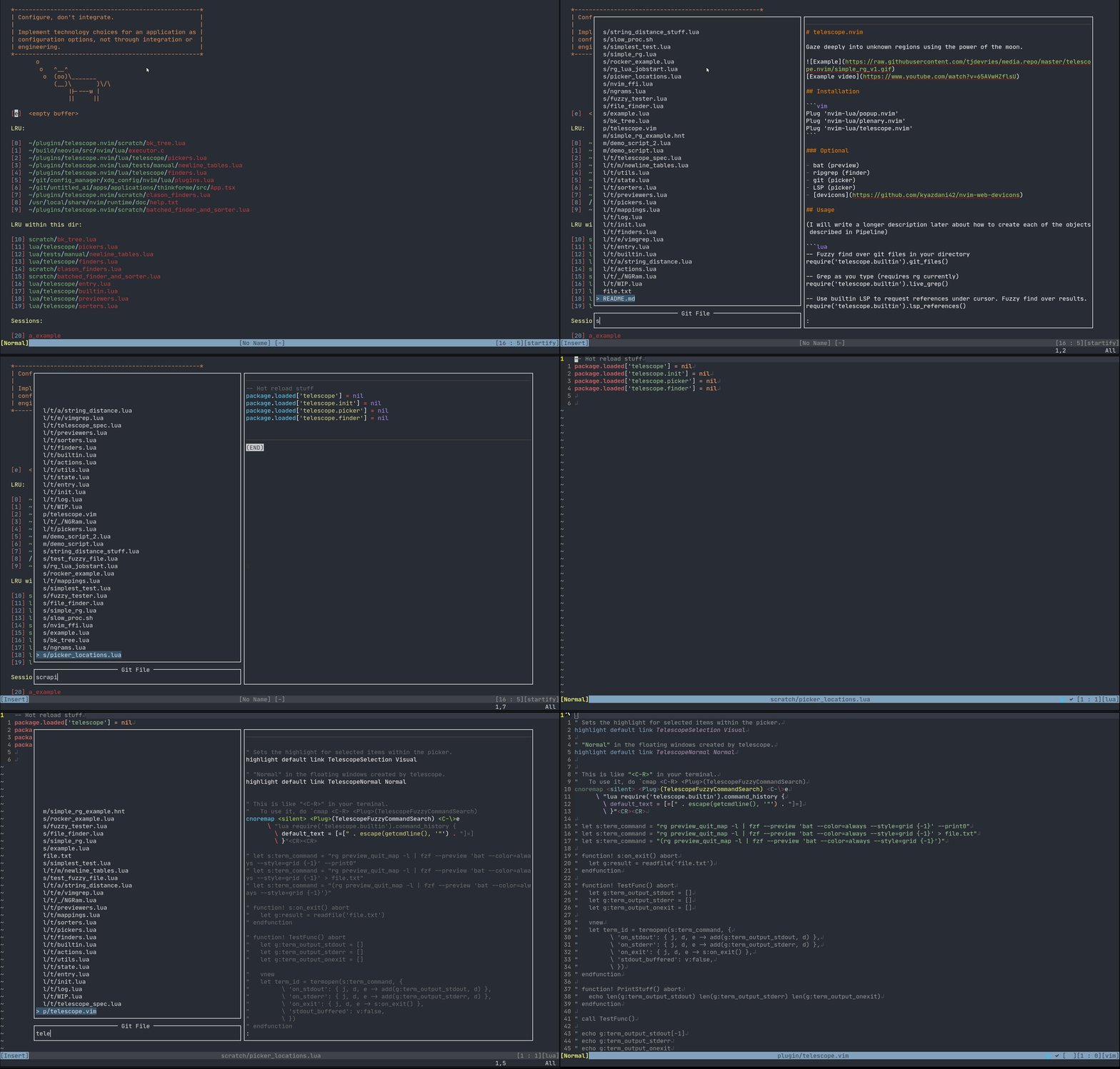
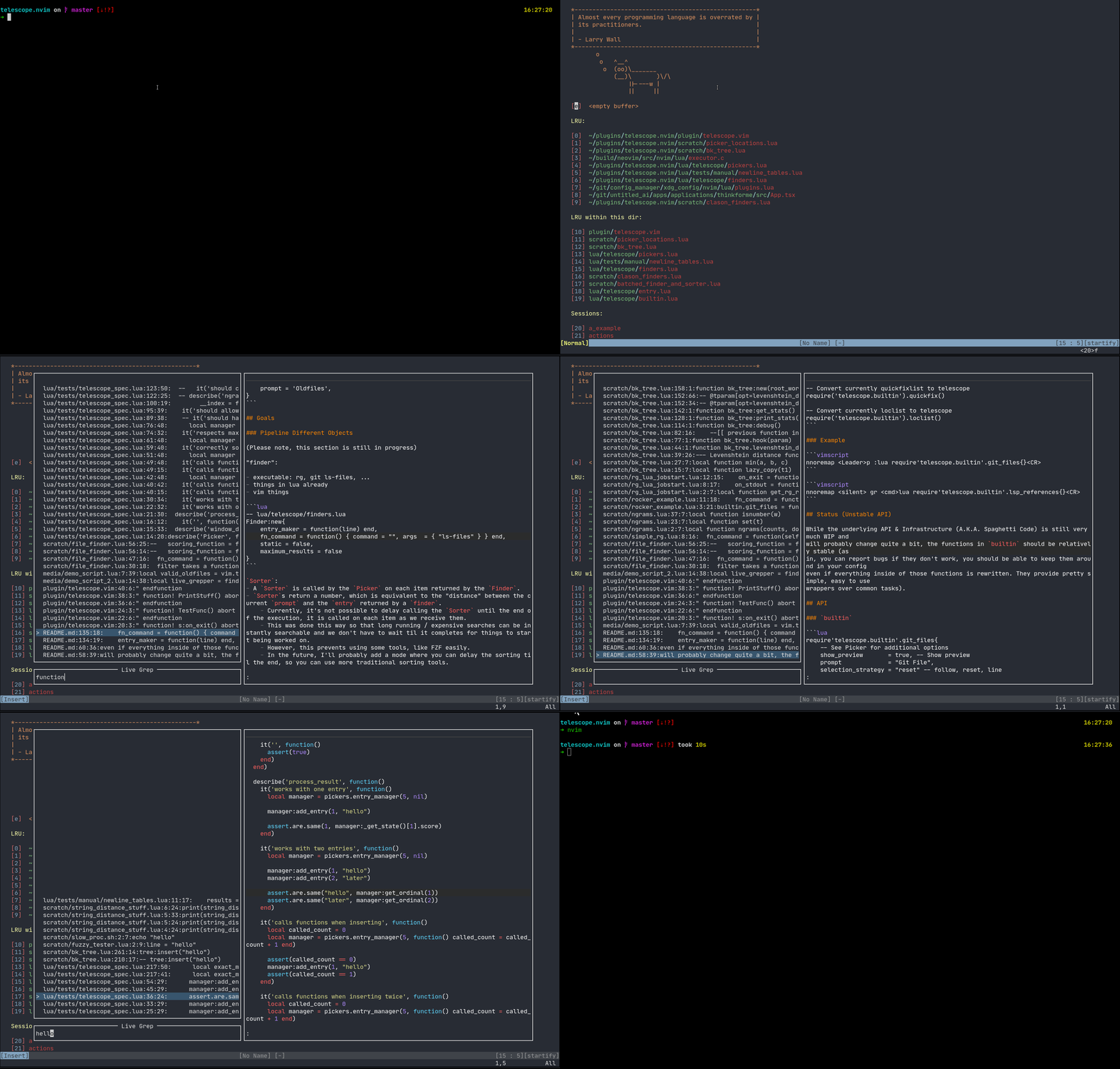
Telescope is a highly extendable fuzzy finder over lists. Items are shown in a popup with a prompt to search over.
Support for:
* LSP (references, document symbols, workspace symbols)
* Treesitter
* Grep
* Files (git, fd, rg)
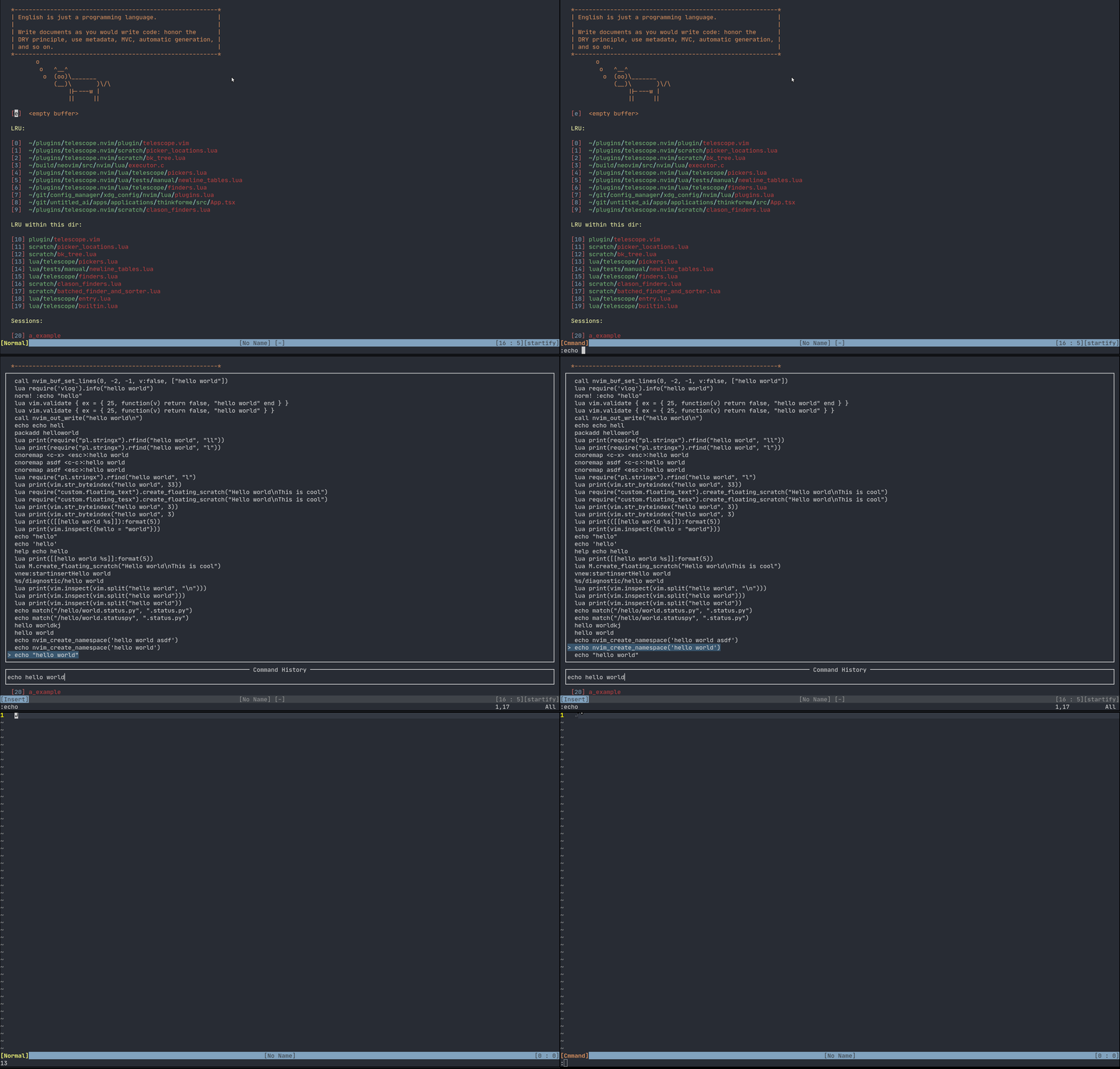
* Vim (command history, quickfix, loclist)
[What is Telescope?](https://www.twitch.tv/teej_dv/clip/RichDistinctPlumberPastaThat)
[Example video](https://www.youtube.com/watch?v=65AVwHZflsU)
## Requirements
Neovim Nightly (0.5)
Best experience on Neovim Nightly with LSP configured.
## Installation
```vim
Plug 'nvim-lua/popup.nvim'
Plug 'nvim-lua/plenary.nvim'
Plug 'nvim-lua/telescope.nvim'
```
### Optional
- [bat](https://github.com/sharkdp/bat) (preview)
- [ripgrep](https://github.com/BurntSushi/ripgrep) (finder)
- Treesitter ([nvim-treesitter](https://github.com/nvim-treesitter/nvim-treesitter)) (finder/preview)
- fd ([sharkdp/fd](https://github.com/sharkdp/fd)) (finder)
- git (picker)
- [neovim LSP]( https://neovim.io/doc/user/lsp.html) (picker)
- [devicons](https://github.com/kyazdani42/nvim-web-devicons)
## Usage
Most actions are activated via keybinds. Attach these functions as described more in the [Examples](#Examples)
```lua
-- Fuzzy find over git files in your directory
require('telescope.builtin').git_files()
-- Grep files as you type (requires rg currently)
require('telescope.builtin').live_grep()
-- Use builtin LSP to request references under cursor. Fuzzy find over results.
require('telescope.builtin').lsp_references()
-- Convert currently quickfixlist to telescope
require('telescope.builtin').quickfix()
-- Convert currently loclist to telescope
require('telescope.builtin').loclist()
```
Options can be passed directly to the above functions, or set as defaults.
```lua
-- Optional way to setup default values
require('telescope').setup{
default = {
-- Example:
shorten_path = true -- currently the default value is true
}
}
```
## Examples
```vim
nnoremap <Leader>p <cmd>lua require'telescope.builtin'.git_files{}<CR>
```
Searches over files in a git folder. Note: This does not work outside a git repo folder.
```vim
nnoremap <Leader>p <cmd>lua require'telescope.builtin'.find_files{}<CR>
```
Search over files in your `cwd` current working directory.
```vim
nnoremap <silent> gr <cmd>lua require'telescope.builtin'.lsp_references{}<CR>
```
Search over variable references from your Language Server.
```vim
nnoremap <Leader>en <cmd>lua require'telescope.builtin'.find_files{ cwd = "~/.config/nvim/" }<CR>
```
Find all the files in your nvim config.
### Full Example
```vim
lua <<EOF
-- totally optional to use setup
require('telescope').setup{
default = {
shorten_path = false -- currently the default value is true
}
}
EOF
nnoremap <c-p> :lua require'telescope.builtin'.find_files{}<CR>
nnoremap <silent> gr <cmd>lua require'telescope.builtin'.lsp_references{ shorten_path = true }<CR>
```
What this does:
* Make the paths full size by default. On LSP references we are shortening paths.
* Bind `<ctrl-p>` for a common mapping to find files.
- Using `telescope.builtin.git_files` is better in git directories. You can make a toggle to detect if it's a git directory.
* Bind `gr` to find references in LSP.
- `telescope.builtin.lsp_workspace_symbols` and `telescope.builtin.lsp_document_symbols` are also good to bind for LSP.
## Mappings
Mappings are fully customizable. Many familiar mapping patterns are setup as defaults.
```
<C-n> <C-p> next | previous
<Down> <Up> next | previous
j k next | previous (in normal mode)
<CR> go to file selection
<C-x> go to file selection as a split
<C-v> go to file selection as a vertical split
<C-t> go to a file in a new tab
<C-u> scroll up in preview window
<C-d> scroll down in preview window
<C-c> close telescope
<Esc> close telescope (in normal mode)
```
Attaching your own mappings is possible and additional information will come soon.
Additionally, the prompt's filetype will be `TelescopePrompt`. You can customize the filetype as you would normally.
## Status (Unstable API)
While the underlying API & Infrastructure (A.K.A. Spaghetti Code) is still very much WIP and
will probably change quite a bit, the functions in `builtin` should be relatively stable (as
in, you can report bugs if they don't work, you should be able to keep them around in your config
even if everything inside of those functions is rewritten. They provide pretty simple, easy to use
wrappers over common tasks).
## API
### `builtin`
```lua
require'telescope.builtin'.builtin{
-- Optional
-- hide_filename = true
-- ignore_filename = true
}
```
Handy documentation, showcase of all tools available in Telescope.
#### Files
```lua
require'telescope.builtin'.git_files{}
```
Search your files in a git repo. Ignores files in your .gitignore. You can optionally override the find command.
Note: Requires the `cwd` to be a git directory.
```lua
require'telescope.builtin'.find_files{
-- Optional
-- cwd = "/home/tj/"
-- find_command = { "rg", "-i", "--hidden", "--files", "-g", "!.git" }
}
```
Searches files in your working directory.
```lua
require'telescope.builtin'.grep_string{
-- Optional
-- search = false -- Search term or <cword>
}
```
Searches your string with a grep.
Note: Requires `rg`.
```lua
require'telescope.builtin'.live_grep{}
```
Searches all your files (respecting .gitignore) using grep.
Note: Requires `rg`
#### Vim
```lua
require'telescope.builtin'.oldfiles{}
```
Searches the vim oldfiles. See `:help v:oldfiles`
```lua
require'telescope.builtin'.quickfix{}
```
Search on the quickfix. See `:help quickfix`
```lua
require'telescope.builtin'.loclist{}
```
Search on the current window's location list.
```lua
require'telescope.builtin'.command_history{}
```
Search the vim command history.
```lua
require'telescope.builtin'.buffers{
-- Optional
-- show_all_buffers = true -- Show unloaded buffers aswell
}
```
Search on vim buffers list.
#### LSP
```lua
require'telescope.builtin'.lsp_references{}
```
Search on LSP references.
```lua
require'telescope.builtin'.lsp_document_symbols{}
```
Search on LSP Document Symbols in the current document.
```lua
require'telescope.builtin'.lsp_workspace_symbols{}
```
Search on all workspace symbols.
#### Treesitter
```lua
require'telescope.builtin'.treesitter{
-- Optional
-- bufnr = Buffer number
}
```
Search on function names, variables, from Treesitter!
Note: Requires nvim-treesitter
#### Telescope
```lua
require'telescope.builtin'.planets{}
```
Use the telescope.
## Themes
Common groups of settings can be setup to allow for themes. We have some built in themes but are looking for more cool options.
### Dropdown

```vim
nnoremap <Leader>f :lua require'telescope.builtin'.find_files(require('telescope.themes').get_dropdown({}))<cr>
```
Then you can put your configuration into `get_dropdown({})`
```vim
nnoremap <Leader>f :lua require'telescope.builtin'.find_files(require('telescope.themes').get_dropdown({ winblend = 10 }))<cr>
```
If you wish to make theme, check out `lua/telescope/themes.lua`. If you need more features, make an issue :).
## Goals
### Pipeline Different Objects
(Please note, this section is still in progress)
"finder":
- executable: rg, git ls-files, ...
- things in lua already
- vim things
```lua
-- lua/telescope/finders.lua
Finder:new{
entry_maker = function(line) end,
fn_command = function() { command = "", args = { "ls-files" } } end,
static = false,
maximum_results = false
}
```
`Sorter`:
- A `Sorter` is called by the `Picker` on each item returned by the `Finder`.
- `Sorter`s return a number, which is equivalent to the "distance" between the current `prompt` and the `entry` returned by a `finder`.
- Currently, it's not possible to delay calling the `Sorter` until the end of the execution, it is called on each item as we receive them.
- This was done this way so that long running / expensive searches can be instantly searchable and we don't have to wait til it completes for things to start being worked on.
- However, this prevents using some tools, like FZF easily.
- In the future, I'll probably add a mode where you can delay the sorting til the end, so you can use more traditional sorting tools.
"picker":
- fzf
- sk
- does this always need to be fuzzy?
- you'll map what you want to do with vimscript / lua mappings
Defaults:
### Picker
```lua
-- lua/telescope/pickers.lua
Picker:new{
prompt = "", -- REQUIRED
finder = FUNCTION, -- see lua/telescope/finder.lua
sorter = FUNCTION, -- see lua/telescope/sorter.lua
previewer = FUNCTION, -- see lua/telescope/previewer.lua
selection_strategy = "reset", -- follow, reset, line
border = {},
borderchars = {"─", "│", "─", "│", "┌", "┐", "┘", "└"},
preview_cutoff = 120,
}
```
"previewer":
- sometimes built-in
- sometimes a lua callback
As an example, you could pipe your inputs into fzf, and then it can sort them for you.
## Other Examples
|
